

Cleaning the Keyboard: A Step-by-Step Guide to Effectively Clean the Keyboard
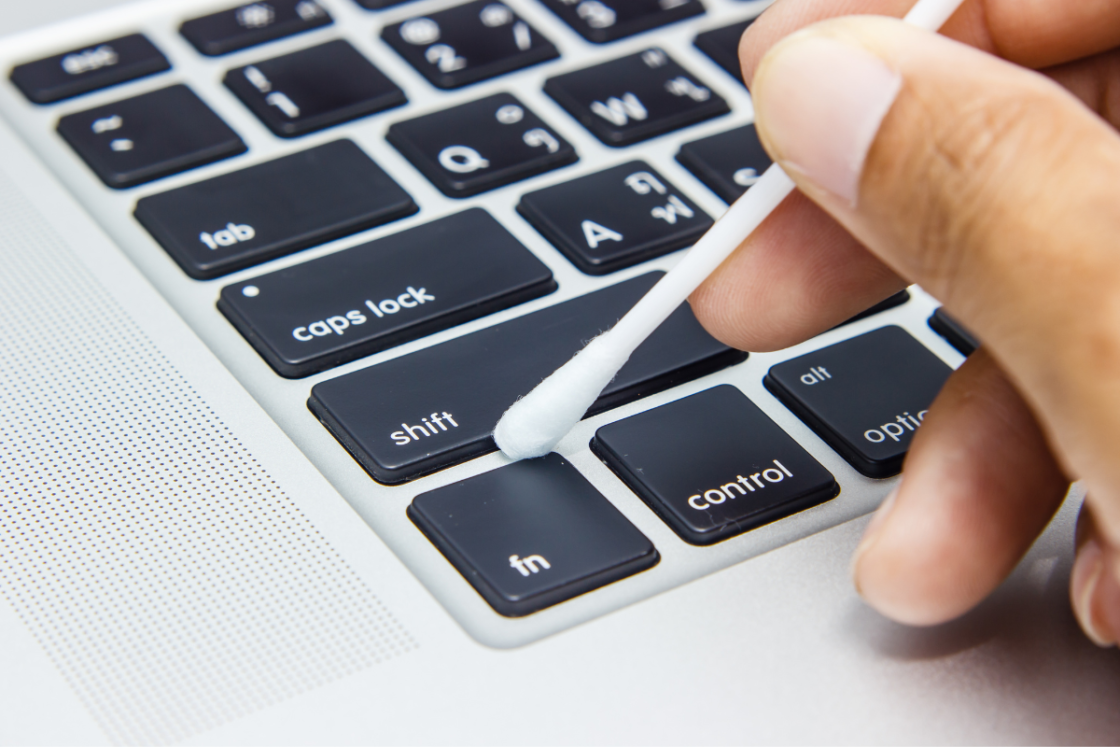
Cleaning the keyboard is an important part of keeping your computer healthy and clean. But many of us rarely think about cleaning our keyboards, which can lead to problems such as sticky keys, the mouse pointer moving randomly, or the dirty keyboard becoming a breeding ground for bacteria. In this article, I will explain why it is important to clean the keyboard, how to clean the keyboard correctly, and common mistakes to avoid.
Why is it important to clean the keyboard?
There are several reasons why it is important to clean the keyboard regularly. Firstly, dirt and dust that accumulate in the keyboard can cause the keys to stick or not work as they should. This can make it difficult to type or use the computer in an effective way. Secondly, a dirty keyboard can become a breeding ground for bacteria and other microorganisms that can be harmful to health. When you use the keyboard, you come into direct contact with the surface, which can lead to spreading bacteria to other surfaces and hands.
Signs that the keyboard needs cleaning
There are several signs indicating it is time to clean the keyboard. If you notice that the keys stick or do not respond as they should, or if you see dirt and dust on the keyboard, it is time to clean it. Other signs that the keyboard needs cleaning include smell and discoloration on the keys. If the keyboard has not been cleaned for a long time, it may also be a good idea to clean it to prevent problems.
Common mistakes to avoid
When cleaning the keyboard, it is important to avoid common mistakes that can damage the keyboard or make it even dirtier. For example, it is important to avoid using too much water or liquid when cleaning the keyboard, as this can cause the keys to stick or the keyboard to stop working entirely. You should also avoid using strong chemicals or cleaning agents on the keyboard, as this can damage the surface or make the keyboard even dirtier.
Different types of keyboards and their cleaning requirements
There are different types of keyboards, and each type requires different cleaning methods. For example, a mechanical keyboard requires a different cleaning method than a membrane keyboard. A mechanical keyboard usually has removable keys, making it easier to clean the surface under the keys. A membrane keyboard, on the other hand, has a different construction and is therefore more sensitive to moisture. Before you start cleaning the keyboard, it is important to know which type of keyboard it is and which cleaning methods work best.
Step-by-step guide to cleaning a computer keyboard
Here is a step-by-step guide to cleaning a computer keyboard:
- Turn off the computer and unplug the keyboard from the computer.
- Turn the keyboard upside down and gently shake it to remove dirt and dust.
- Use a compressed air device; cordless ones are available to buy, and these are used to blow away dirt and dust from the keyboard.
- Use a soft brush to brush away dirt and dust from the keyboard and between the keys.
- Moisten a cloth or a microfiber cloth with a mild cleaning solution and gently wipe the keyboard.
- Wipe the keyboard with a dry cloth or microfiber cloth and let it dry completely before plugging it back in.
Step-by-step guide to cleaning a laptop keyboard
Here is a step-by-step guide to cleaning a laptop keyboard:
- Turn off the computer and unplug the power source.
- Turn the laptop upside down and gently shake it to remove dirt and dust.
- Use a compressed air device; cordless ones are available to buy, and these are used to blow away dirt and dust from the keyboard.
- Use a soft brush to brush away dirt and dust from the keyboard and between the keys.
- Moisten a cloth or a microfiber cloth with a mild cleaning solution and gently wipe the keyboard.
- Wipe the keyboard with a dry cloth or microfiber cloth and let it dry completely before plugging in the power source and starting the computer.
Tips to keep the keyboard clean
Here are some tips to keep the keyboard clean:
- Use a keyboard cover to protect the keyboard from dirt and spills.
- Wash your hands regularly to reduce the amount of dirt and bacteria that come into contact with the keyboard.
- Avoid eating or drinking over the keyboard to reduce the risk of spills.
- Clean the keyboard regularly to prevent problems.
Basic tools and materials for keyboard cleaning
Here are some basic tools and materials you need for keyboard cleaning:
- Cordless handheld compressed air device to blow away dirt and dust from the keyboard.
- Soft brush to brush away dirt and dust from the keyboard and between the keys.
- Cloth or microfiber cloth to wipe the keyboard.
- Mild cleaning solution to wipe the keyboard with.
Common mistakes to avoid when cleaning the keyboard
Here are some common mistakes to avoid when cleaning the keyboard:
- Avoid using too much water or liquid when cleaning the keyboard.
- Avoid using strong chemicals or cleaning agents on the keyboard.
- Avoid cleaning the keyboard when it is plugged into the computer or when it is turned on.
Conclusion
Cleaning the keyboard is an important part of keeping your computer healthy and clean. By following the correct cleaning method and avoiding common mistakes, you can keep the keyboard in top condition and prevent problems that can affect the computer's performance and your health. By using the tips and tools I have described in this article, you can clean the keyboard effectively and safely. So be sure to clean your keyboard regularly and keep it in top condition!
Related posts

How to clean shower walls, tiles and grout in the best way in your bathroom
Cleaning shower walls in the bathroom will never be difficult again
One could easily think that the shower practically cleans itself. After all, you stand there all day long and rinse it with water and soap! Yet the shower somehow ends up dirty, and if...
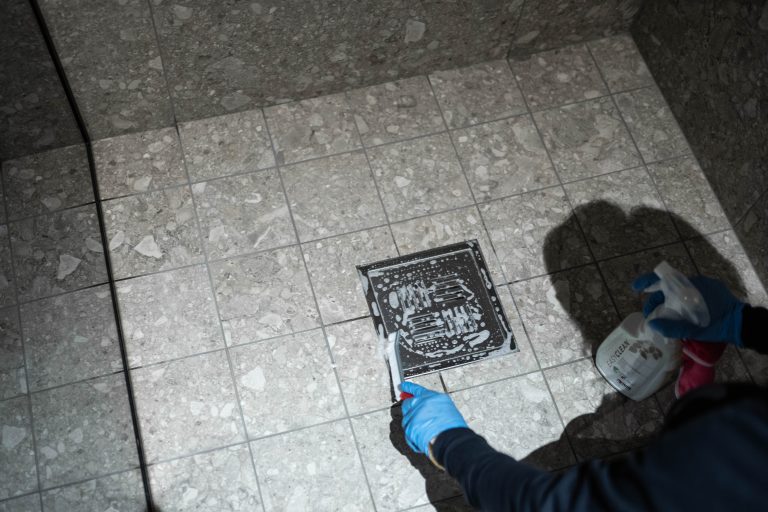
Stop drain blockages with these simple tips!
There are hardly any more unpleasant cleaning chores than cleaning drains. Usually, this procedure involves bad odours, hair, and other things you'd rather avoid touching. Unfortunately, it's not possible to avoid entirely.

The Best Dishcloth For A Sparkling Clean Kitchen
When it comes to achieving a spotless kitchen, the dishcloth plays a crucial role. But with countless options available, which is the best and most effective dishcloth, we think?
Do you have questions about our cleaning services?
We are here for you. Contact us today for a free quote – we help you keep your home sparkling clean.